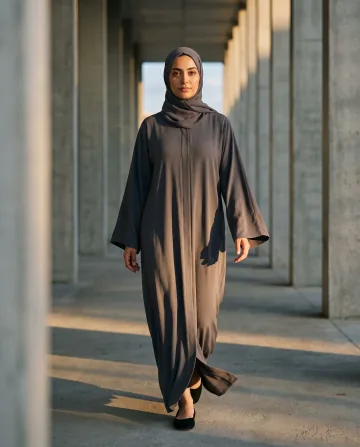
+A confident walk between the columns, sleeves moving in the breeze
A real example from the platform
When to use it
When you need video and have no shoot: an Instagram or TikTok ad, a story, or a product card that moves. A still is passed over in feeds built for motion.
What you need
One finished image, then a clip length and a resolution. The written note is optional: leave it empty and the model decides the motion, or write a sentence to steer it.
Three common mistakes
Asking for big movement. Five seconds carries a head turn or a slow push-in, not a change of scene. Ask for too much and the model invents rather than animates.
Starting at the dearest setting. Try the shortest length and lowest resolution first; if the motion works, run it again larger. Judging motion does not need resolution.
Ignoring hands and shoes. They are what distorts first, so name them in your note, ask for them to stay as they are, and check them in the result.
Cost
Clip length
480p
720p
1080p
5 seconds
1
3
6
10 seconds
2
6
12
Per single image, shown before you press generate.
No. You upload a photo you already have and get a short moving clip back. The piece stays exactly as it is in your photo; the motion is the only new thing.
Why does the result sometimes distort?
Because more was asked than the length can carry. Five seconds is enough for a turn of the head or a slow push-in, not for changing the scene, and a large request makes the model invent rather than animate. Hands and shoes distort first — ask for them to stay as they are, then check them in the result.
How do I test without burning credits?
Start at the shortest length and the lowest resolution. Judging the motion does not need high resolution, so if you like it, run it again at a larger setting.